Skip to content
PARIS
BACKLINE
BACKLINE & AUDIO RENTAL
LOS ANGELES, CALIFORNIA

Allen & Heath dLive C1500 + CDM48: A Compact Flagship System

Why engineers request Allen & Heath dLive, how the C1500 surface and CDM48 MixRack work together, and when a dLive C Class system is the right console rental for your show.

By Paris Backline · · 3 min read
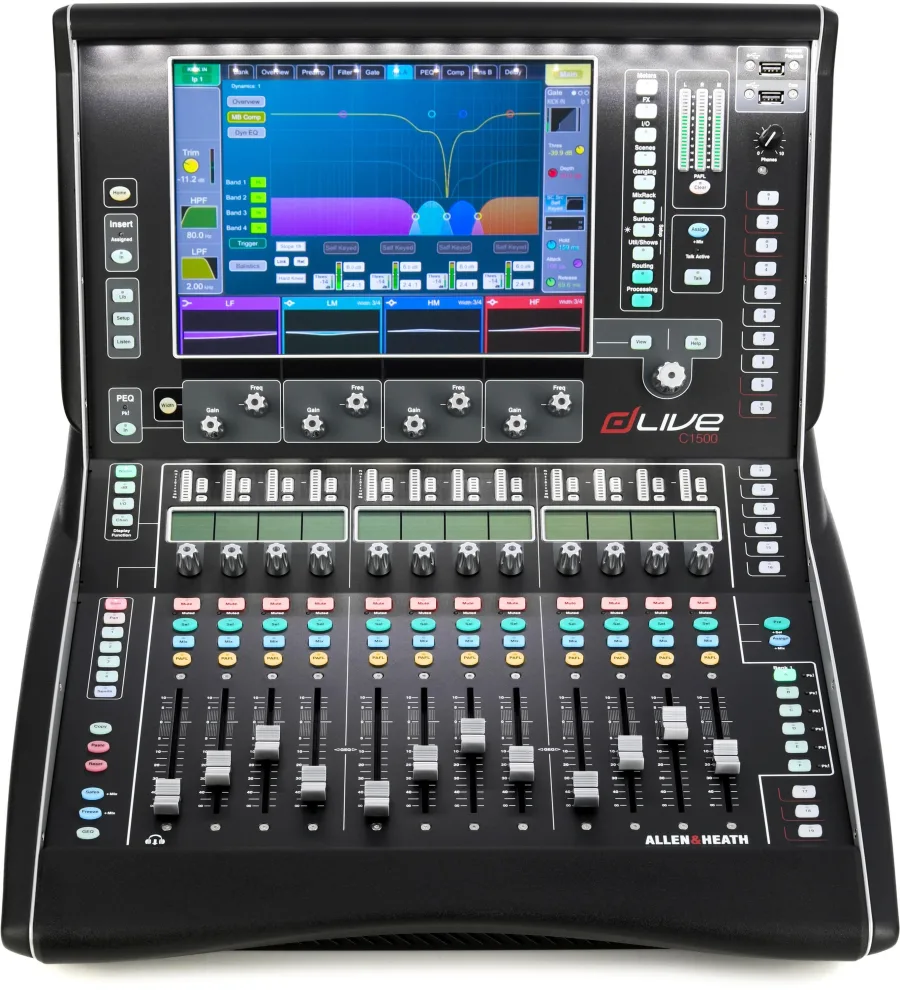
Allen & Heath C1500

Allen & Heath's dLive platform shows up constantly on touring riders, especially at the monitor position. The C Class range brings that same platform to smaller, more affordable hardware. A C1500 surface paired with a CDM48 MixRack gives an engineer the full dLive processing engine in a footprint that fits a club booth, a side-stage wing or a corporate FOH riser.

How dLive is built

dLive splits a console into two parts:

  • The MixRack is the brain and the stage I/O. All audio processing happens here, on Allen & Heath's XCVI FPGA engine.
  • The surface is the control: faders, screen and controls for the engineer. It connects to the MixRack over a single Cat5e cable using Allen & Heath's gigaACE link.

Because all processing lives in the MixRack, every dLive surface — from the compact C1500 to the largest S Class desks — runs the same mixing engine. The difference between them is the number of faders, screens and local I/O.

The engine

Every dLive MixRack, including the C Class CDM48, offers:

  • 128 input channels
  • 64 configurable mix buses — auxes, groups, matrices and mains, defined to suit the show
  • 96 kHz processing
  • Extensive onboard effects and dynamics, including dynamic EQ and multiband compression
  • An automatic mic mixer for panels and spoken-word events

The CDM48 adds 48 mic/line inputs and 24 outputs on the rack itself, plus expansion options for more I/O and networking.

The C1500 surface

The C1500 is the most compact surface in the C Class line:

  • 12 fader strips with multiple layers
  • A 12-inch capacitive touchscreen
  • Dedicated controls for fast access to processing
  • The same dLive workflow as larger surfaces, so engineers who know dLive are immediately at home

The combination is ideal when an engineer wants dLive but the venue has no room for a large surface.

Why engineers ask for dLive

  • Monitor mixing. Lots of mix buses, flexible bus configuration and fast access to sends make dLive a favorite for in-ear-heavy shows.
  • Show files. Engineers who tour on dLive can load their own show on any dLive system, with every channel, bus and effect intact. See bringing your show file to a rental console.
  • Sound and headroom. 96 kHz processing and high-quality preamps are part of the appeal.
  • Scalability. The same show runs on a C1500 for a club and a larger surface in an arena.

Remote control

dLive systems can be controlled with:

  • dLive Director software on a computer — for online mixing or offline show preparation
  • The MixPad app on iPad, for walking the room or adjusting monitors from the stage

Building the show offline in Director before the gig saves a lot of time on site.

Typical C1500 + CDM48 configurations

UseSetup
Club or theater FOH with up to 48 inputsC1500 at FOH, CDM48 on stage, one gigaACE cable
Monitor world for a touring actC1500 side-stage with the CDM48, tablet for ringing out wedges and in-ears
Corporate general sessionC1500 at FOH with the automatic mic mixer for panels and Q&A
Rider-specified dLive at a smaller venueC1500 + CDM48, engineer loads their show file

Planning tips

  • Confirm firmware. dLive surfaces and MixRacks must run matching firmware, and a show file built on newer firmware may not open on an older system. Tell your rental company which version your show was built on.
  • Measure cable runs. gigaACE runs over shielded Cat5e; measure the actual path from stage to FOH and order a spare cable.
  • Count I/O carefully. Include playback, talkback, ambient mics, video feeds and broadcast sends.
  • Agree on who controls gain if the MixRack is shared between FOH and monitors.

dLive or M32?

Both are excellent. The M32 platform is everywhere and very cost-effective; dLive offers higher channel counts, 96 kHz processing and the workflow many touring monitor engineers prefer. If the rider says dLive, rent dLive. If there's flexibility, compare in our M32 rig guide.

We rent the Allen & Heath C1500 and CDM48 across Greater Los Angeles. Tell us about your production's I/O and we'll confirm the configuration.

Bringing Your Show File to a Rental Console

How touring and guest engineers move scenes and show files onto rental Midas M32 and Allen & Heath dLive consoles — firmware, routing, patching, I/O differences and a pre-show checklist.

Midas M32R vs. M32C + DL32: Choosing the Right M32 Rig

The Midas M32 platform comes in several shapes. Compare the compact M32R console with the rack-mount M32C and DL32 stage box, and learn which setup fits FOH, monitors, corporate events and fly packs.

Audio for Corporate Events in Los Angeles: Wireless, Mixing and Bands

Planning audio for a corporate event, gala or conference in LA? How to spec wireless mics for presenters and panels, choose a console, support a live band, and avoid the most common show-day problems.